WispZip is a small open-source archiver: one floating window, drag a file in and you get a single confirmation page. Formats, passwords and split volumes live under a collapsed Advanced panel. Tauri 2 + Vue 3 on top of a pure-Rust streaming engine.
Checking the latest release…
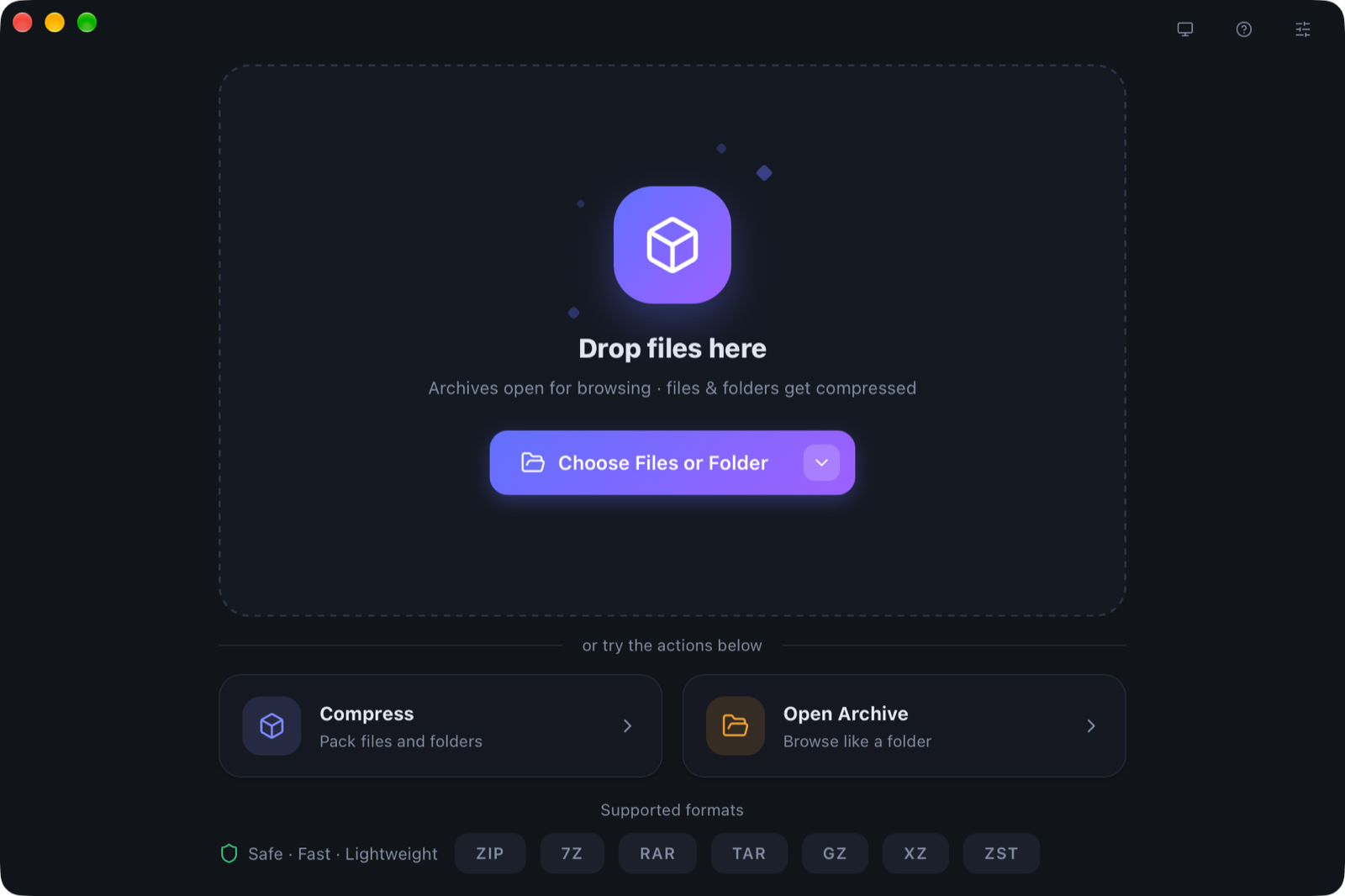
The home window: drop a file to get a confirmation page; formats and advanced options stay collapsed.
Everyday work needs no settings dialog; the deeper format controls stay in the CLI and the collapsed panel.
Drop plain files for compression, archives for extraction. The confirmation page only asks for a name and a destination.
macOS Finder Quick Actions, Windows context menus, double-click an archive to go straight to extraction, plus a tray and recent jobs.
Memory does not scale with input size. Pause, resume, cancel, zip-slip protection, GBK filenames and automatic conflict renaming.
Drop a file or an archive into the floating window
Confirm the name and destination, expand Advanced if needed
Watch progress, speed and ETA, then open the output folder
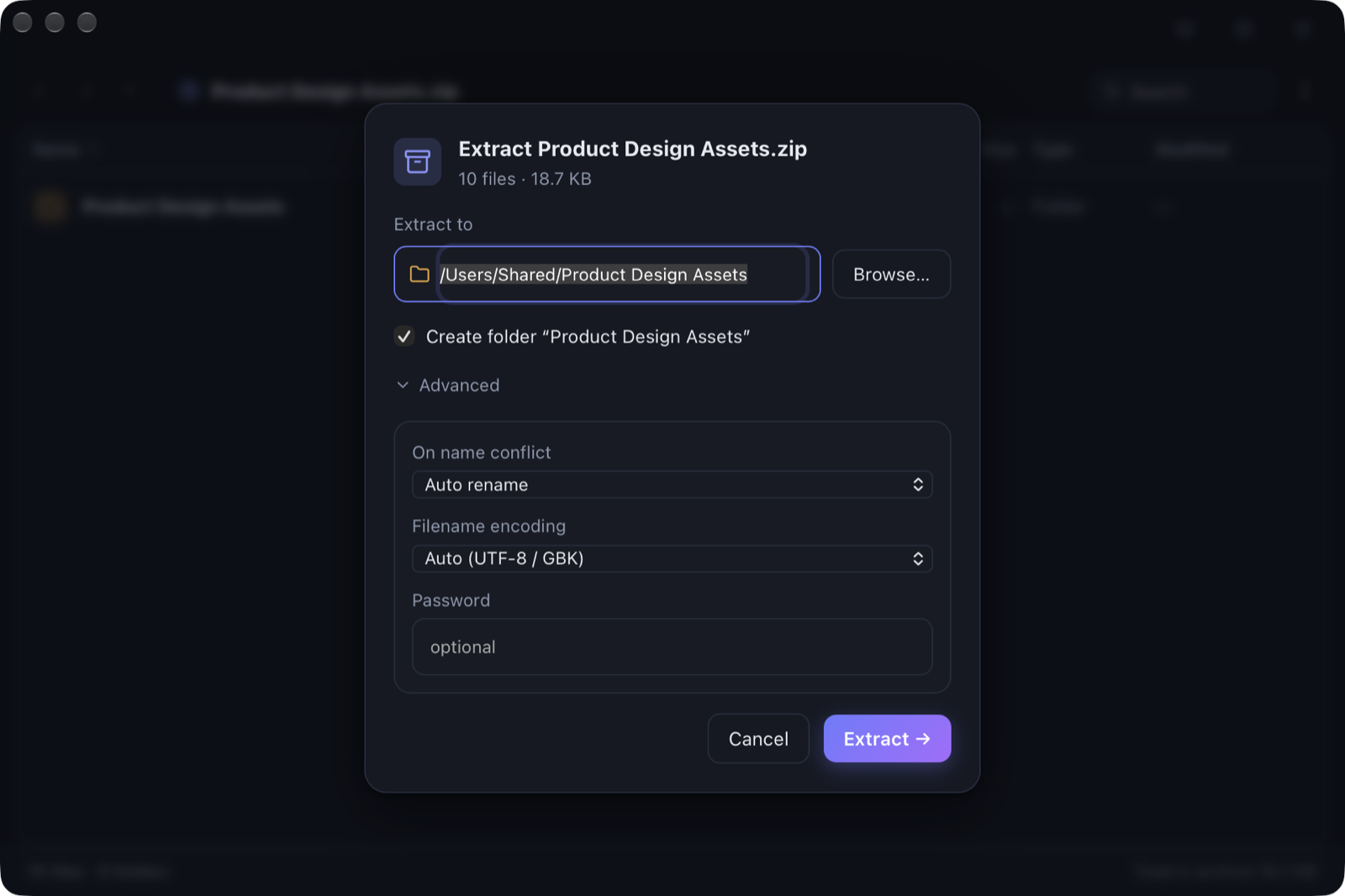
Double-click an archive or use Open With and land straight on the extract confirmation — no need to open the home window first.
One Rust core shared by the desktop app and the CLI, so both behave the same way.
| Format | Compress | Extract | Notes |
|---|---|---|---|
| zip | Yes | Yes | Deflate 0–9, AES-256, ZIP64, UTF-8 / GBK filenames |
| tar | Yes | Yes | Preserves permissions and mtime |
| tar.gz / tar.bz2 / tar.xz / tar.zst | Yes | Yes | Streaming pipeline with live progress |
| gz / xz / zst / bz2 | Yes | Yes | Single-file stream compression |
| 7z | Yes | Yes | LZMA2 0–9, AES-256, Unix permission bits |
| rar | No | Yes | rar4 / rar5, including encrypted archives |
| Split volumes | Yes | Yes | Byte-level .001/.002 volumes, streamed on both sides |
Split volumes are streamed on both write and read, with no full-size temporary archive: peak disk is about 1x the archive, not 2x. RAR is the exception because UnRAR requires a real file path.
macOS aarch64, release build. Peak RSS from /usr/bin/time -l; peak disk sampled with du.
| Workload | Peak RSS | Peak disk |
|---|---|---|
| zip, 4.5 GiB, Deflate 1 — compress / extract | 3.2 MB / 3.0 MB | — |
| tar.gz, 4.5 GiB — compress / extract | 3.1 MB / 2.7 MB | — |
| 7z, 4.5 GiB, LZMA2 6 — compress / extract | 95 MB / 11 MB | — |
| 1.2 GB → 400 MB × 4 zip, streamed split | 3.2 MB | 1270 MB (was 2533 MB) |
| Extraction benchmark | Before | After | System bsdtar |
|---|---|---|---|
| tar.gz, 13,572 files, 490 MiB unpacked | 3.45 s | 1.62 s (4 workers) | 2.74 s |
| zip, 32 × 2 MiB, 8 workers | 0.102 s | 0.026 s (3.9×) | — |
Timings come from CLI benchmarks on the same core engine (cold output directory, best of several runs); the GUI was not timed. The 7z figure is the fixed LZMA2 dictionary cost at that level, independent of input size.
Desktop builds for macOS, Windows and Linux; the CLI can be built separately. All code is MIT licensed.
xattr -cr /Applications/WispZip.app once, or right-click the app and choose Open. Windows and Linux builds run as-is.
 WispZip